. .

st4u

ST 4U 163: Constructing Queries with Glorp

November 28, 2011 12:38:05.893

Today's Smalltalk 4 You starts executing a few queries against the Emp table we created and mapped here. If you have trouble viewing it here in the browser, you can also navigate directly to YouTube. To watch now, click on the image below:
Glorp Queries.

If you have trouble viewing that directly, you can click here to download the video directly. If you need the video in a Windows Media format, then download that here.

You can also watch it on YouTube:


Today we'll execute some queries against Oracle using the descriptor we set up - see this video for details on that. First off, we inserted some data so that there would be something to query for:


"create a few more"
listOfEmps := OrderedCollection new.
1 to: 10 do: [:index | | newEmp |
	newEmp := Emp new.
	newEmp firstName: 'Wilma', index printString.
	newEmp lastName: 'Flintstone', index printString.
	listOfEmps add: newEmp
]

"insert them"
session beginUnitOfWork.
listOfEmps do: [:each | session registerAsNew: each].
session commitUnitOfWork.

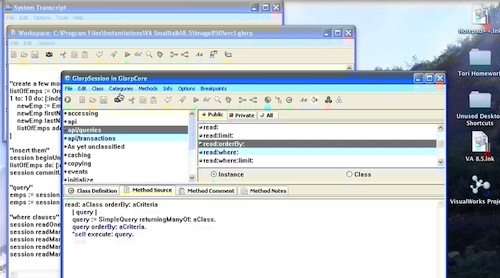
Now we can execute a few queries. It's worth taking a look at class GlorpSession to get an idea as to the API that's being used here. First, the simplest query - you can #read: any class that's been described in a descriptor:


"query"
emps := session read: Emp.
emps := session readManyOf: Emp.


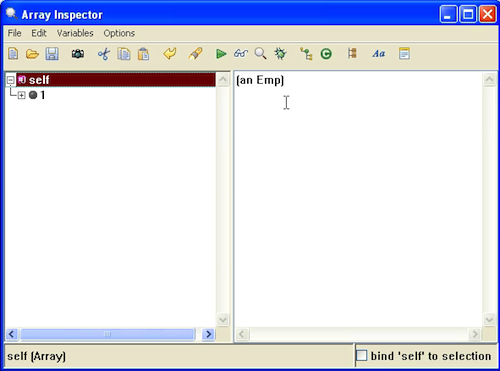
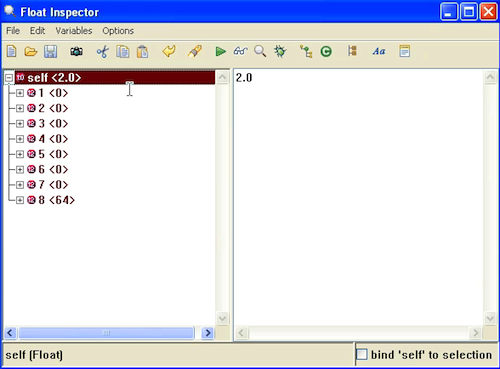
Those two queries do the same thing - you should see this if you inspect the results:
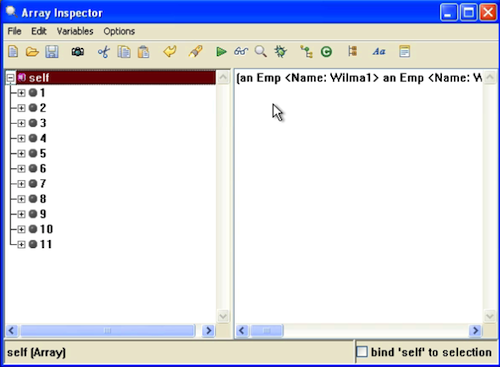
Glorp Query

You can also include a where clause, but bear in mind the restrictions - in general, you are limited to code that:

  • accesses instance variables
  • compares instance variables using #=, #<, #>, #<>, #isNIL, #notNIL
  • Uses expressions in class ObjectExpression

Note that we use isNIL and notNIL rather than isNil and notNil; Glorp knows how to parse those and create valid SQL (which is what the where block becomes). Here are a few examples:


"where clauses"
session readOneOf: Emp where: [:each | each firstName = 'Fred'].
session readManyOf: Emp where: [:each | each firstName = 'Fred'].
session readManyOf: Emp where: [:each | each firstName = 'Barney'].
session readManyOf: Emp where: [:each | each firstName notNIL].
session readManyOf: Emp where: [:each | each firstName like: 'Wilma%'].

Note the use of #like:, which generates a SQL like statement. Use % rather than * for wildcarding, just as you would with SQL. For that last query, you should see the following results:
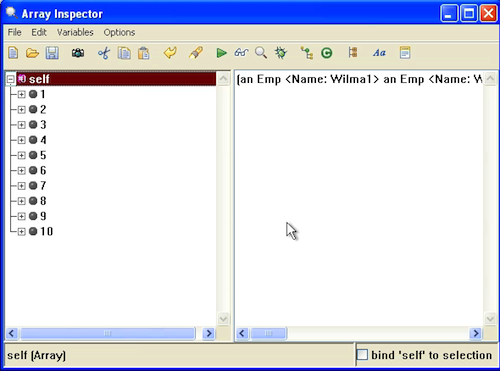
where clause

That wraps it up for now - we'll look at removing data next time

Need more help? There's a screencast for other topics like this which you may want to watch. Questions? Try the "Chat with James" Google gadget over in the sidebar.

Technorati Tags: , , ,

Enclosures:
[st4u163-iPhone.m4v ( Size: 7493149 )]

posted by James Robertson

 Share Tweet This

st4u

ST 4U 162: Using a Glorp Descriptor

November 23, 2011 9:54:25.655

Today's Smalltalk 4 You starts making use of of the Glorp code we wrote here. If you have trouble viewing it here in the browser, you can also navigate directly to YouTube. To watch now, click on the image below:

Glorp Use.

If you have trouble viewing that directly, you can click here to download the video directly. If you need the video in a Windows Media format, then download that here.

You can also watch it on YouTube:


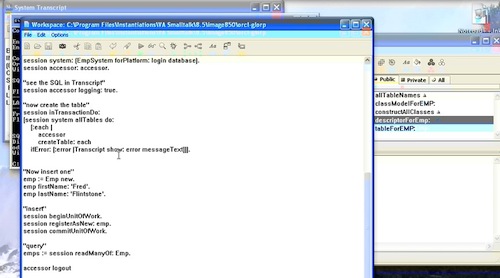
Today we'll start using our basic Glorp setup to insert and query data from Oracle. To start out, we need to login and get a session (this uses code we created in the last screencast).


login := Login new
database: OracleODBCPlatform new;
username: username;
password: password;
connectString: 'orcl11g';
yourself.

"login and logout"
accessor := DatabaseAccessor forLogin: login.
accessor login.

"create a session"
session := GlorpSession new.
session system: (EmpSystem forPlatform: login database).
session accessor: accessor.

Now we can create an instance and have it inserted into the database. In the code below, ou would normally use #register: - I used #registerAsNew: to ensure that Glorp would treat my object as a new one bound of the database:


"Now insert one"
emp := Emp new.
emp firstName: 'Fred'.
emp lastName: 'Flintstone'.

"insert"
session beginUnitOfWork.
session registerAsNew: emp.
session commitUnitOfWork.


Note the beginning and ending of the transaction. Now, let's use a query to get the data back:


"login"
accessor := DatabaseAccessor forLogin: login.
accessor login.

"query"
emps := session readManyOf: Emp.

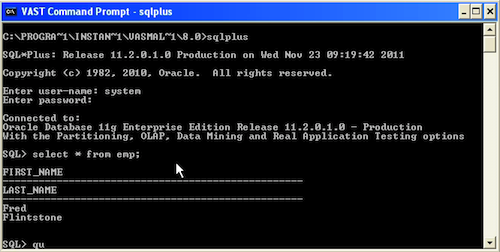
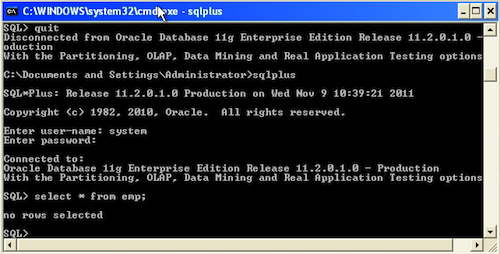
It's worth looking at class GlorpSession for the full API range of what you can do; we'll be exploring some of that in future screencasts. Below are two images - a screencap of the inspector on the queried data, and a sqlplus wind showing the same thing:

data"

sqlplus

Need more help? There's a screencast for other topics like this which you may want to watch. Questions? Try the "Chat with James" Google gadget over in the sidebar.

Technorati Tags: , ,

Enclosures:
[st4u162-iPhone.m4v ( Size: 3998020 )]

posted by James Robertson

 Share Tweet This

st4u

ST 4U 161: Installing Glorp in Pharo

November 21, 2011 10:33:15.238

Today's Smalltalk 4 You looks at installing GlorpDBX into Pharo. Yes, I did this screencast just recently, but: there were installation issues then. They've been fixed since, so I didn't want that one hanging out there as "authoritative". If you have trouble viewing it here in the browser, you can also navigate directly to YouTube. To watch now, click on the image below:

GlorpDBX Install

If you have trouble viewing that directly, you can click here to download the video directly. If you need the video in a Windows Media format, then download that here.

You can also watch it on YouTube:

Technorati Tags: , ,

Enclosures:
[st4u161-iPhone.m4v ( Size: 2541898 )]

posted by James Robertson

 Share Tweet This

st4u

ST 4U 160: Menu Pragmas in VisualWorks

November 18, 2011 10:41:14.424

Today's Smalltalk 4 You looks at menu pragmas in VisualWorks - a way to dynamically modify a menu without having to edit the menu specification itself. If you have trouble viewing it here in the browser, you can also navigate directly to YouTube. To watch now, click on the image below:

menu pragmas

If you have trouble viewing that directly, you can click here to download the video directly. If you need the video in a Windows Media format, then download that here.

You can also watch it on YouTube:

Technorati Tags: , ,

Enclosures:
[st4u160-iPhone.m4v ( Size: 4757663 )]

posted by James Robertson

 Share Tweet This

st4u

ST 4U 159: Setting up a GLORP Descriptor

November 16, 2011 8:28:51.650

Today's Smalltalk 4 You starts working with Glorp descriptors - which is how you define mappings between objects and tables in Glorp.. If you have trouble viewing it here in the browser, you can also navigate directly to YouTube. To watch now, click on the image below:

Glorp Descriptors.

If you have trouble viewing that directly, you can click here to download the video directly. If you need the video in a Windows Media format, then download that here.

You can also watch it on YouTube:


Today we'll set up the basics for using Glorp to interact with tables in a database. To start with, we'll need to set up a descriptor class:


DescriptorSystem subclass: #EmpSystem
    instanceVariableNames: ''
    classVariableNames: ''
    poolDictionaries: ''

DescriptorSystem defines the basics for interacting with a database using Glorp; the subclass we are setting up will define the table mappings we want to use. Today we are going to define a simple mapping to a table (Emp), and then we are going to use Glorp to create that table in the database. There are a few methods we need to define, all instance side. To start with, we need a #tableForTABLENAMEHERE: method - note the caps, which will be replaced by actual name of the table:


tableForEMP: aTable 
	aTable createFieldNamed: 'first_name' type: (platform varChar: 50).
	aTable createFieldNamed: 'last_name' type: (platform varChar: 50).

This is the pattern you'll use to map Smalltalk objects (instance variables) to columns. We'll explain how the column names get mapped to instance variables below. You'll also need a method to define all the tables being mapped by this descriptor; it should return an array:


allTableNames
	^#('EMP')

Next, we need to give the mappings a bit more fleshing out:


descriptorForEmp: aDescriptor
	| table |
	table := self tableNamed: 'EMP'.
	aDescriptor table: table.
	(aDescriptor newMapping: DirectMapping) 
		from: #firstName
		to: (table fieldNamed: 'first_name').
	(aDescriptor newMapping: DirectMapping) 
		from: #lastName
		to: (table fieldNamed: 'last_name')

That's how we map column names to variable names; here we are using direct mapping. There are other mapping methods, but we'll leave that for another day. For now, we need two more methods:


constructAllClasses
	^(super constructAllClasses)
	add: Emp;
	yourself


classModelForEMP: aClassModel
	aClassModel newAttributeNamed: #firstName.
	aClassModel newAttributeNamed: #lastName.


That's how most descriptors you create will look (with the specifics for the tables/classes filled in, of course). Now we can make use of this code to create the Emp table in the database (Oracle in this case):


"login"
accessor := DatabaseAccessor forLogin: login.
accessor login.

"create a session"
session := GlorpSession new.
session system: (EmpSystem forPlatform: login database).
session accessor: accessor.

"see the SQL in Transcript"
session accessor logging: true.

"now create the table"
session inTransactionDo:
[session system allTables do: 
	[:each | 
		accessor 
		createTable: each 
	ifError: [:error |Transcript show: error messageText]]].
	
	
accessor logout

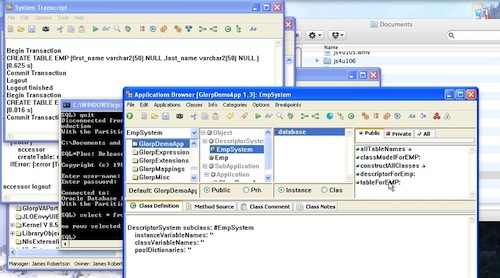
How do we know that worked? We'll pop up SQLPlus (an Oracle tool) and have a look:

sqlplus"

That wraps it up for today - we'll get to inserts, updates, queries, and deletes soon.

Need more help? There's a screencast for other topics like this which you may want to watch. Questions? Try the "Chat with James" Google gadget over in the sidebar.

Technorati Tags: , ,

Enclosures:
[st4u159-iPhone.m4v ( Size: 6030894 )]

posted by James Robertson

 Share Tweet This

st4u

ST 4U 158: Getting Started with GLORP in VA

November 13, 2011 22:24:53.619

Today's Smalltalk 4 You starts making use of Glorp against Oracle with a simple query - about as simple a query as you can make, as it happens. If you have trouble viewing it here in the browser, you can also navigate directly to YouTube. To watch now, click on the image below:

First Glorp Use.

If you have trouble viewing that directly, you can click here to download the video directly. If you need the video in a Windows Media format, then download that here.

You can also watch it on YouTube:


Today we'll get started with using Glorp in VA Smalltalk with Oracle. We've already set up basic connectivity; today we'll have a look at one of the classes (DatabaseAccessor) that you'll end up using in VA Smalltalk.

To start doing queries, you need to login and get things set up:


"login"
login := Login new.
	database: OracleODBCPlatform new;
	username: username;
	password: password;
	connectString: 'orcl11g';
	yourself.

"login and logout"
accessor := DatabaseAccessor forLogin: login.


Next, use the basic API, #basicExecuteSQLString:


"simple query using basic database facilities"
result := accessor basicExecuteSQLString: 'select 1 + 1 from dual'.
result next first.

That uses basic Oracle facilities to do the simple math problem. The more important thing from our perspective is the API: #basicExecuteSQLString:. We'll be using this, and other facilities of DatabaseAccessor over the next few screencasts. Once you execute and inspect that, you should see this:

Basic Query

Finally, logout:


"logout"
accessor logout.

Next time we'll start taking a real look at creating database descriptors, so that we can start interacting with tables using GLORP.

Need more help? There's a screencast for other topics like this which you may want to watch. Questions? Try the "Chat with James" Google gadget over in the sidebar.

Technorati Tags: , ,

Enclosures:
[st4u158-iPhone.m4v ( Size: 3459116 )]

posted by James Robertson

 Share Tweet This

st4u

ST 4U 157: Loading GLorpDBX into Pharo

November 11, 2011 7:09:45.755

Today's Smalltalk 4 You looks at loading GlorpDBX into Pharo - along with a small proble you hit (as of the time I recorded this, anywaY) when doing so. If you have trouble viewing it here in the browser, you can also navigate directly to YouTube. To watch now, click on the image below:

Glorp

If you have trouble viewing that directly, you can click here to download the video directly. If you need the video in a Windows Media format, then download that here.

You can also watch it on YouTube:

Technorati Tags: , ,

Enclosures:
[st4u157-iPhone.m4v ( Size: 1825011 )]

posted by James Robertson

 Share Tweet This

st4u

ST 4U 156: Setting up GLORP for Oracle in VA Smalltalk

November 9, 2011 12:23:38.110

Today's Smalltalk 4 You sets up connectivity for Oracle and GLORP on Windows for VA Smalltalk. There are few tricky parts to this, including the use of the correct ODBC definition. If you have trouble viewing it here in the browser, you can also navigate directly to YouTube. To watch now, click on the image below:

Loading GLORP.

If you have trouble viewing that directly, you can click here to download the video directly. If you need the video in a Windows Media format, then download that here.

You can also watch it on YouTube:


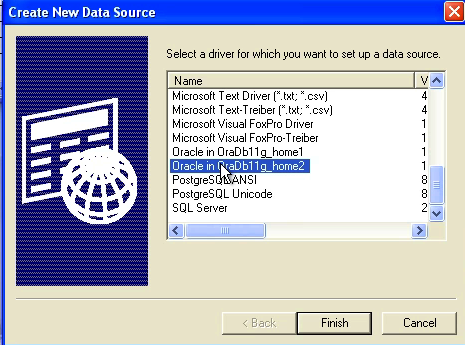
Today we'll set up connectivity to Oracle (using ODBC) so that we can use Glorp against Oracle from VA Smalltalk. The Oracle support in VA for GLORP uses ODBC, so that's why we are doing this. To get started, bring up the ODBC configuration tool, and set up access to your database (installing Oracle is beyond the scope of this tutorial). Make sure you use the Oracle drive, not the Microsoft one - the MS one does not play well with VA Smalltalk:

Oracle GLORP

Once you have that, you can connect to your database as follows:


login := Login new.
	database: OracleODBCPlatform new;
	username: username;
	password: password;
	connectString: 'orcl11g';
	yourself.

Make sure you use the proper connect string, which was set up when you configured Oracle. Next, login:


"login and logout"
accessor := DatabaseAccessor froLogin: login.
accessor login.

accessor logout.

If you specified a password, it'll login for you; otherwise, you'll get prompted.

Next time we'll start taking a real look at creating database descriptors, so that we can start interacting with tables using GLORP.

Need more help? There's a screencast for other topics like this which you may want to watch. Questions? Try the "Chat with James" Google gadget over in the sidebar.

Technorati Tags: , , ,

Enclosures:
[st4u156-iPhone.m4v ( Size: 3638289 )]

posted by James Robertson

 Share Tweet This

st4u

ST 4U 155: Loading GLORP Support in VA

November 7, 2011 10:03:29.584

Today's Smalltalk 4 You gets started with GLORP for VA Smalltalk. If you have trouble viewing it here in the browser, you can also navigate directly to YouTube. To watch now, click on the image below:

Loading GLORP.

If you have trouble viewing that directly, you can click here to download the video directly. If you need the video in a Windows Media format, then download that here.

You can also watch it on YouTube:


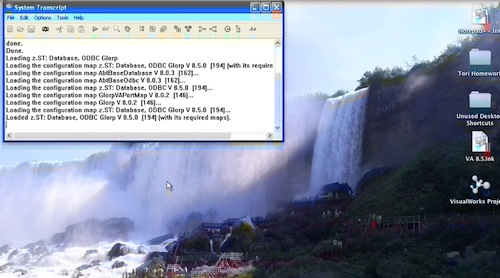
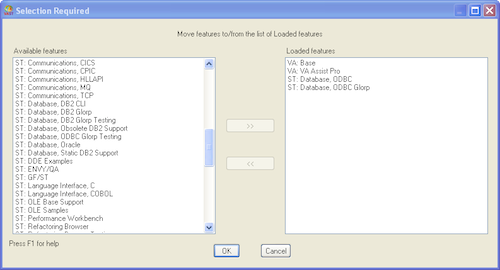
Today we'll get started with GLORP for VA Smalltalk - for our examples, we'll be using the ODBC support and PostgreSQL, but it's going to be the same for any other database (such as DB2) at this level. To start with, let's load the support in from ENVY. Open up the load/unload features tool from the launcher:

GLORP

Just hit "Ok", and let it spin - you'll have GLORP support loaded shortly.

Next time we'll start taking a real look at GLORP itself.

Need more help? There's a screencast for other topics like this which you may want to watch. Questions? Try the "Chat with James" Google gadget over in the sidebar.

Technorati Tags: , , ,

Enclosures:
[st4u155-iPhone.m4v ( Size: 2424925 )]

posted by James Robertson

 Share Tweet This

st4u

ST 4U 154: Empty Query Results in VA Smalltalk

November 4, 2011 8:27:27.370

Today's Smalltalk 4 You looks at how to determine whether your database query came back empty in VA Smalltalk. If you have trouble viewing it here in the browser, you can also navigate directly to YouTube. To watch now, click on the image below:

Empty Results.

If you have trouble viewing that directly, you can click here to download the video directly. If you need the video in a Windows Media format, then download that here.

You can also watch it on YouTube:


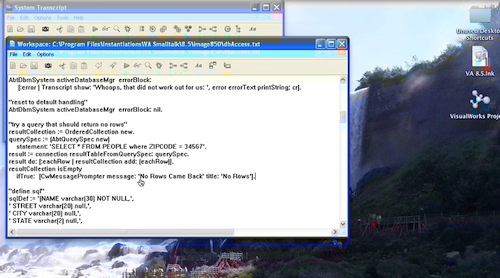
Today we'll look at checking the results from a query in VA Smalltalk, and then prompting the user on empty results. Let's do a query that should result in no answers:


"try a query that should return no rows"
resultCollection := OrderedCollection new.
querySpec := (AbtQuerySpec new)
	statement: 'SELECT * FROM PEOPLE where ZIPCODE = 34567'.
result := connection resultTableFromQuerySpec: querySpec.
result do: [:eachRow | resultCollection add: (eachRow)].
resultCollection isEmpty
	ifTrue:  [CwMessagePrompter message: 'No Rows Came Back' title: 'No Rows'].


The checking is fairly obvious; we simply use standard collection protocol. Then we use the standard CWMessagePrompter class to pop up a warning dialog.

And that's about it for today

Need more help? There's a screencast for other topics like this which you may want to watch. Questions? Try the "Chat with James" Google gadget over in the sidebar.

Technorati Tags: , ,

Enclosures:
[st4u154-iPhone.m4v ( Size: 2026693 )]

posted by James Robertson

 Share Tweet This

Previous Next (554 total)