. .

st4u

ST 4U 173: VA Asist Pro

December 21, 2011 12:51:23.137

Today's Smalltalk 4 You looks at some of the features that VA Assist Pro brings to VA Smalltalk. If you have trouble viewing it here in the browser, you can also navigate directly to YouTube. To watch now, click on the image below:
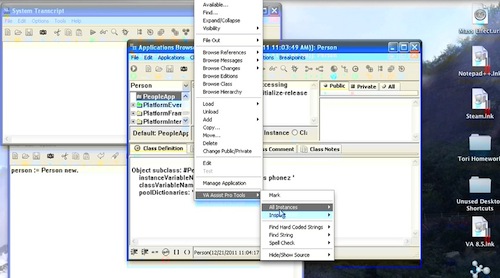
VA Assist Pro.

If you have trouble viewing that directly, you can click here to download the video directly. If you need the video in a Windows Media format, then download that here.

You can also watch it on YouTube:


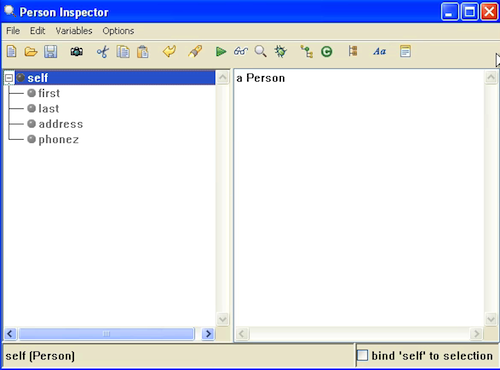
Today we'll look at some of the tool support that's now part of the standard VA Smalltalk image from VA Assist Pro - something that used to be an add on. To demonstrate, we've created a small application with one simple class, Person:
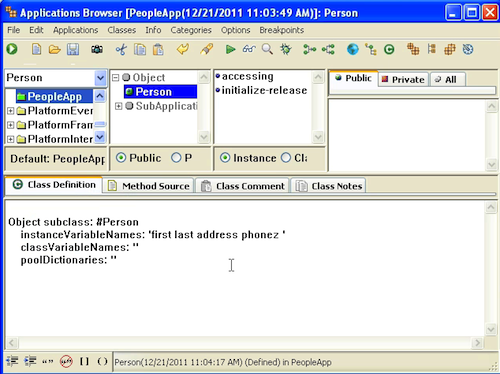
Person Class

First, select the class in the browser, use the context menu, and take note of the VA Assist Pro pull right. Go into that, and try All Instances>>inspect:
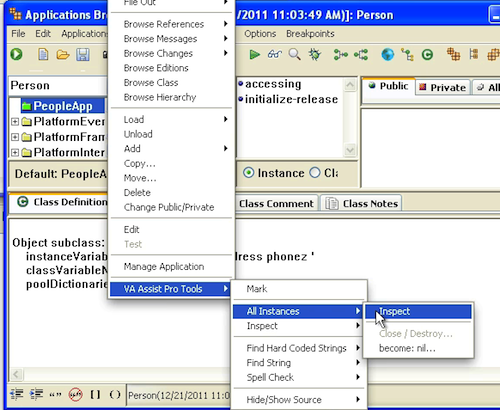
inspect instances

Since we haven't created any, you should not find any. Next, try the Hard Coded Strings check against the class:
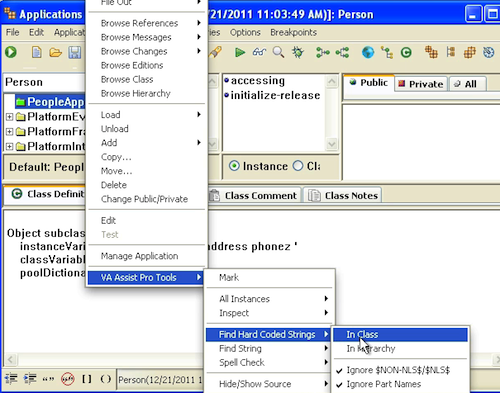
hard coded

We've hard coded the first and last names in the initialize method, and that's what turns up:
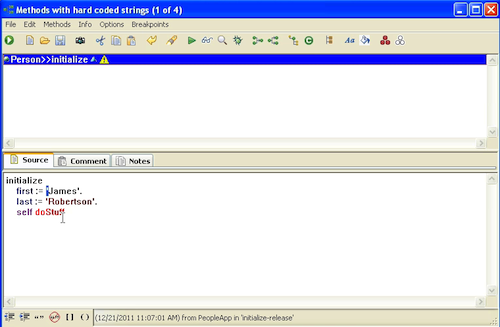
hard coded

This can be a really useful way to find "magic" data that's been added to your application. Next, let's spell check the class. We've added an instance variable named phones to show what this check does not do:
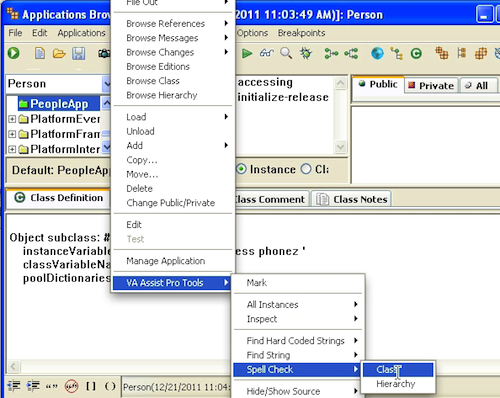
spell check

As you can see below, what it actually finds are references to messages that are not in the image (note the red in the browser pane):
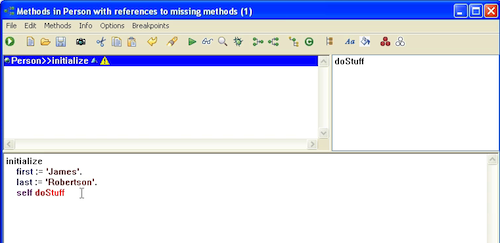
spell check

After creating an instance in a workspace, let's look for all instances again:
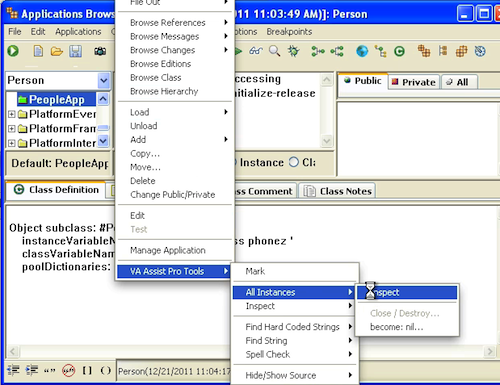
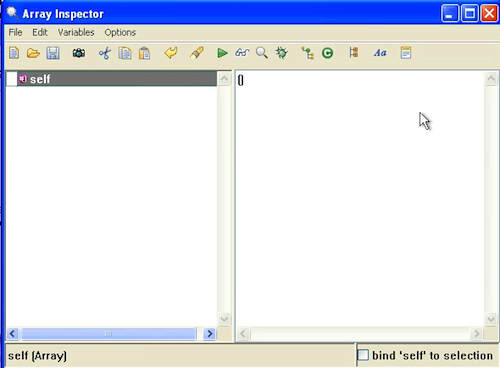
all instances

all instances

As you can see above, there's an inspector on the one instance now. Another handy (but dangerous) option is niling out all instances. In the first of the two images above, note the become nil option. Selecting that gives you this warning:
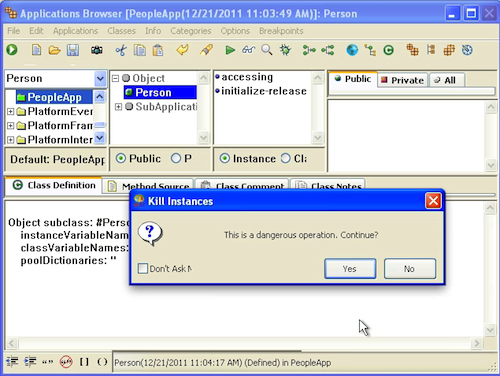
become nil

That can be useful in testing, but as the system tells you, it's dangerous. Use it with care. There are a few more options in the VA Assist Pro menus, and many of them scale across applications, not just a single class - take some time to explore.

Need more help? There's a screencast for other topics like this which you may want to watch. Questions? Try the "Chat with James" Google gadget over in the sidebar.

Technorati Tags: , ,

Enclosures:
[st4u173-iPhone.m4v ( Size: 5027145 )]

posted by James Robertson

 Share Tweet This

st4u

ST 4U 172: Modifying Completion Settings in Pharo

December 19, 2011 10:58:59.907

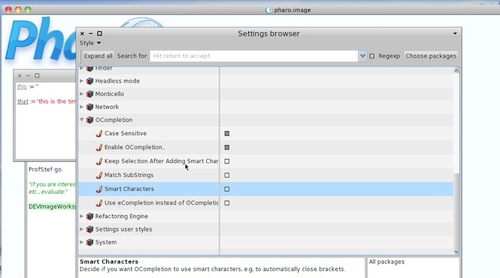
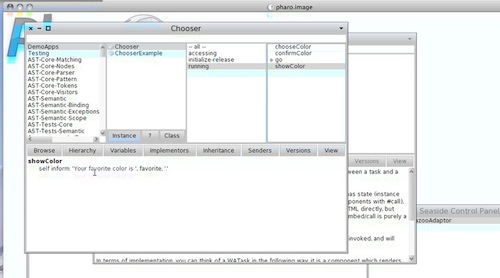
Today's Smalltalk 4 You looks at configuring the code completion in Pharo to not do "smart character" matching.. If you have trouble viewing it here in the browser, you can also navigate directly to YouTube. To watch now, click on the image below:

Code Completion

If you have trouble viewing that directly, you can click here to download the video directly. If you need the video in a Windows Media format, then download that here.

You can also watch it on YouTube:

s

Technorati Tags: , ,

Enclosures:
[st4u172-iPhone.m4v ( Size: 2184534 )]

posted by James Robertson

 Share Tweet This

st4u

ST 4U 171: Setting up a Wiki with VisualWorks

December 16, 2011 7:46:40.516

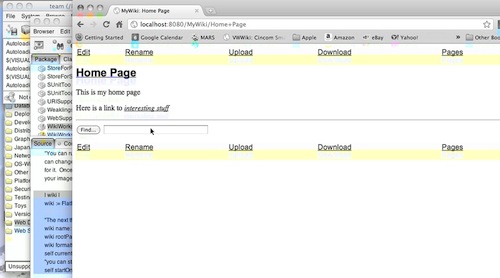
Today's Smalltalk 4 You looks at setting up a wiki using VisualWorks. If you have trouble viewing it here in the browser, you can also navigate directly to YouTube. To watch now, click on the image below:

WikiWorks

If you have trouble viewing that directly, you can click here to download the video directly. If you need the video in a Windows Media format, then download that here.

You can also watch it on YouTube:

Technorati Tags: , ,

Enclosures:
[st4u171-iPhone.m4v ( Size: 4665400 )]

posted by James Robertson

 Share Tweet This

st4u

ST 4U 170: Using Sequence Numbers with Glorp

December 14, 2011 9:59:21.327

Today's Smalltalk 4 You looks at how to use sequence numbers as part of your table description with Glorp; in the process of doing that, we modify our simple table description, drop the table from Oracle, and then add it back. Finally, we add new data and check that the sequence number was used as expected. If you have trouble viewing it here in the browser, you can also navigate directly to YouTube. To watch now, click on the image below:

Sequence Numbers.

If you have trouble viewing that directly, you can click here to download the video directly. If you need the video in a Windows Media format, then download that here.

You can also watch it on YouTube:


Today we'll make some changes to our simple example - adding a real primary key. That key will be a sequence number in the database, so we'll have to do the following:

  • Drop the old table
  • Modify the descriptor and mapping class in Smalltalk
  • Add the table back to the database
  • We'll then add some data to the table again to see whether our sequence generator works as expected. First, add an "id" variable to class Emp, and then make the following three changes to class EmpDescriptor:

    
    classModelForEMP: aClassModel
    	aClassModel newAttributeNamed: #id.
    	aClassModel newAttributeNamed: #firstName.
    	aClassModel newAttributeNamed: #lastName.


    descriptorForEmp: aDescriptor
    	| table |
    	table := self tableNamed: 'EMP'.
    	aDescriptor table: table.
    	(aDescriptor newMapping: DirectMapping) 
    		from: #firstName
    		to: (table fieldNamed: 'first_name').
    	(aDescriptor newMapping: DirectMapping) 
    		from: #lastName
    		to: (table fieldNamed: 'last_name').
    	(aDescriptor newMapping: DirectMapping) 
    		from: #id
    		to: (table fieldNamed: 'ID'). 
    
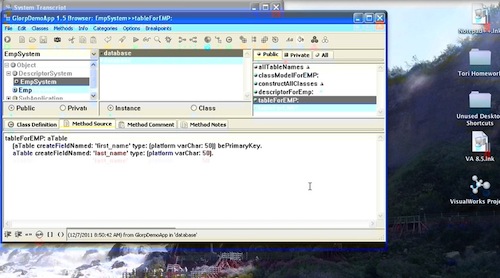
    tableForEMP: aTable 
    	(aTable createFieldNamed: 'ID' type: platform sequence) bePrimaryKey.
    	(aTable createFieldNamed: 'first_name' type: (platform varChar: 50)).
    	aTable createFieldNamed: 'last_name' type: (platform varChar: 50).


    Note two things: the type of our id variable is "sequence", and we made sure that it's the primary key. Now let's drop the table (in a separate transaction from where we'll add it back)

    
    "we have updated the table description - need to drop the old table and re-add. 
    If that's not practical, mod it with db tools"
    accessor dropTables: session system allTables.
    
    "now create with the sequence"
    session inTransactionDo: 
    [
    	session system platform areSequencesExplicitlyCreated 
    	ifTrue: 
    	[session system allSequences do: 
    		[:each | 
    		accessor createSequence: each
    		ifError: [:error | Transcript show: error messageText]]].	
    session system allTables do: 
    	[:each | 
    	accessor createTable: each
    	ifError: [:error | Transcript show: error messageText]]]


    If you turned SQL logging on, you'll see the transactions in the Transcript. Now let's add some data - note that we do not set the id - Glorp handles that for us using Oracle facilities:

    
    "Now insert one"
    emp := Emp new.
    emp firstName: 'Fred'.
    emp lastName: 'Flintstone'.
    
    
    "insert"
    session beginUnitOfWork.
    session registerAsNew: emp.
    session commitUnitOfWork.


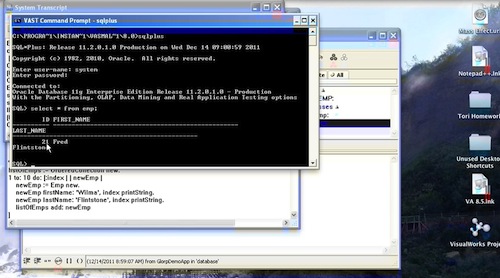
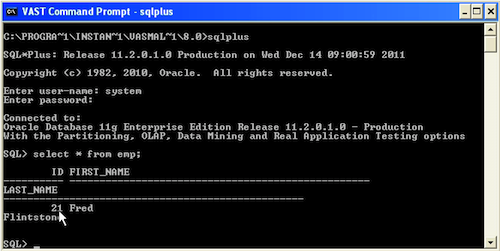
    Using SQLPlus, let's have a look:

    New data with PK

    And that about wraps it up for today

    Need more help? There's a screencast for other topics like this which you may want to watch. Questions? Try the "Chat with James" Google gadget over in the sidebar.

    Technorati Tags: , ,

Enclosures:
[st4u170-iPhone.m4v ( Size: 7226845 )]

posted by James Robertson

 Share Tweet This

st4u

ST 4U 169: Refreshing an Object with GLORP

December 12, 2011 9:20:15.805

Today's Smalltalk 4 Youlooks at refreshing objects that we have previously read using Glorp - this may be necessary if another process (or user) has updated the source database information since we last read it. The initial setup used is described here. If you have trouble viewing it here in the browser, you can also navigate directly to YouTube. To watch now, click on the image below:

Refreshing.

If you have trouble viewing that directly, you can click here to download the video directly. If you need the video in a Windows Media format, then download that here.

You can also watch it on YouTube:


Today we'll look at how to refresh objects that you have read out of the database. For simple client/server apps, this might never be needed, but in any app where multiple users could be reading and writing the same data, you'll likely end up using this. First, let's read an object into memory:


"read one"
emp := session readOneOf: Emp where: [:each | each firstName = 'Fred'].


Now, assume that some time has passed, or an event has been received indicating that the object in question has changed on the database side. To ensure that we have the most recent copy, we do this:


"time passes....
emp := session refresh: emp.

Need more help? There's a screencast for other topics like this which you may want to watch. Questions? Try the "Chat with James" Google gadget over in the sidebar.

Technorati Tags: , ,

Enclosures:
[st4u169-iPhone.m4v ( Size: 1875028 )]

posted by James Robertson

 Share Tweet This

st4u

ST 4U 168: Transactions with GLORP

December 9, 2011 10:37:58.282

Today's Smalltalk 4 You goes through deleting objects using Glorp - which requires us to specify a primary key in our table mapping. The initial setup used is described here. If you have trouble viewing it here in the browser, you can also navigate directly to YouTube. To watch now, click on the image below:

Transactions.

If you have trouble viewing that directly, you can click here to download the video directly. If you need the video in a Windows Media format, then download that here.

You can also watch it on YouTube:


Today we'll look at how to wrap statements that will change a database in a transaction using GLORP. As the example, we'll revisit deleting. Recall that the following code implicitly wraps the #delete: in a commit:


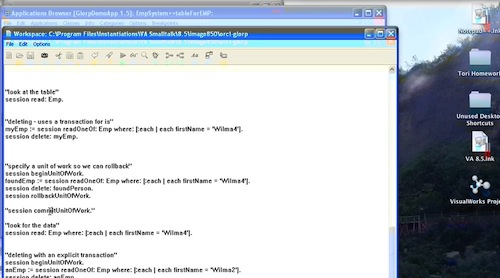
"deleting - uses a transaction for is"
myEmp := session readOneOf: Emp where: [:each | each firstName = 'Wilma4'].
session delete: myEmp.


If you want to control that completely, simply put the entire sequence into a transaction, using #beginUnitOfWork


"specify a unit of work so we can rollback"
session beginUnitOfWork.
foundEmp := session readOneOf: Emp where: [:each | each firstName = 'Wilma4'].
session delete: foundPerson.
session rollbackUnitOfWork.

That will rollback the deletion. If you wanted to commit it, use #commitUnitOfWork instead. That's all there is to it.

Need more help? There's a screencast for other topics like this which you may want to watch. Questions? Try the "Chat with James" Google gadget over in the sidebar.

Technorati Tags: , ,

Enclosures:
[st4u168-iPhone.m4v ( Size: 2557281 )]

posted by James Robertson

 Share Tweet This

st4u

ST 4U 167: Deleting with Glorp

December 7, 2011 9:47:23.191

Today's Smalltalk 4 Yougoes through deleting objects using Glorp - which requires us to specify a primary key in our table mapping. The initial setup used is described here. If you have trouble viewing it here in the browser, you can also navigate directly to YouTube. To watch now, click on the image below:

Deleting.

If you have trouble viewing that directly, you can click here to download the video directly. If you need the video in a Windows Media format, then download that here.

You can also watch it on YouTube:


Today we'll look at how to delete data from a database using Glorp - which means that we need to make a small modification to our #tableForEMP: method in class EmpSystem:


tableForEMP: aTable 
	aTable 
		createFieldNamed: 'first_name' 
		type: (platform varChar: 50).
	(aTable 
		createFieldNamed: 'last_name' 
		type: (platform varChar: 50)) bePrimaryKey.

Note the small change - we've designated one column as the primary key. Ideally, that column would be more sensible than the one in this example, but the point is, you need to specify that. From here on out, Glorp will treat that column as the primary key, even if it's not specified that way in the database. Now we can actually do a deletion:


"deleting"
myEmp := session readOneOf: Emp where: [:each | each firstName = 'Wilma3'].
session delete: myEmp.

Executing that now works, and wraps the #delete: in a transaction for us. We can verify this by executing a query:


session readOneOf: Emp where: [:each | each firstName = 'Wilma3'].

And inspecting the results:

Deletion

And that's about it for today.

Need more help? There's a screencast for other topics like this which you may want to watch. Questions? Try the "Chat with James" Google gadget over in the sidebar.

Technorati Tags: , ,

Enclosures:
[st4u167-iPhone.m4v ( Size: 4667584 )]

posted by James Robertson

 Share Tweet This

st4u

ST 4U 166: WorkFlow with WATask

December 5, 2011 10:26:53.371

Today's Smalltalk 4 You looks at using WATask in Seaside to create a workflow in your app. If you have trouble viewing it here in the browser, you can also navigate directly to YouTube. To watch now, click on the image below:

Workflow

If you have trouble viewing that directly, you can click here to download the video directly. If you need the video in a Windows Media format, then download that here.

You can also watch it on YouTube:

Technorati Tags: , ,

Enclosures:
[st4u166-iPhone.m4v ( Size: 5305260 )]

posted by James Robertson

 Share Tweet This

st4u

ST 4U 165: Fuel for Squeak

December 2, 2011 8:26:16.608

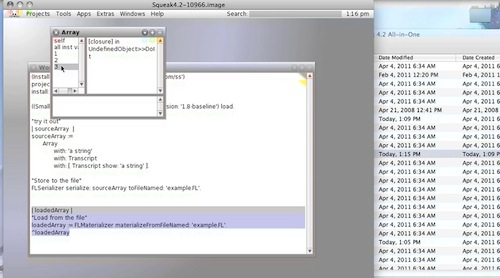
Today's Smalltalk 4 You looks at using fuel in Squeak.. If you have trouble viewing it here in the browser, you can also navigate directly to YouTube. To watch now, click on the image below:

Fuel

If you have trouble viewing that directly, you can click here to download the video directly. If you need the video in a Windows Media format, then download that here.

You can also watch it on YouTube:

Technorati Tags: , ,

Enclosures:
[st4u165-iPhone.m4v ( Size: 2825590 )]

posted by James Robertson

 Share Tweet This

st4u

ST 4U 164: Deleting from a Database with Glorp

November 30, 2011 1:36:13.127

Today's Smalltalk 4 You looks at deleting from a database using Glorp - or more properly, one of the things you need to do in order to have that work. If you want to see how to get Glorp set up on VA Smalltalk, go here. If you have trouble viewing it here in the browser, you can also navigate directly to YouTube. To watch now, click on the image below:

First Glorp Use.

If you have trouble viewing that directly, you can click here to download the video directly. If you need the video in a Windows Media format, then download that here.

You can also watch it on YouTube:


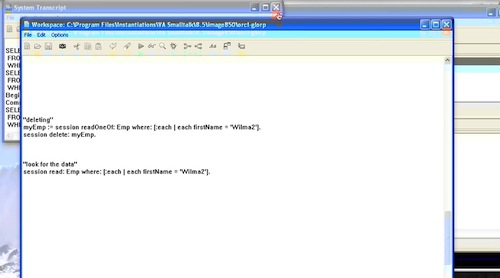
Today we'll look at how to delete data from a database using Glorp - or more properly, what you have to do in order to have that work. The code we are using is simple:


"deleting"
myEmp := session readOneOf: Emp where: [:each | each firstName = 'Wilma2'].
session delete: myEmp.

Executing that looks like it should work, but it does not. Why? Well, we need to go back to our descriptor, and how we defined the database mapping:


tableForEMP: aTable 
	aTable createFieldNamed: 'first_name' type: (platform varChar: 50).
	aTable createFieldNamed: 'last_name' type: (platform varChar: 50).


We haven't defined a primary key. We can either define something simple (a one up number, perhaps), or tell Glorp to treat one of the columns as a primary key. Without that, Glorp can't locate the unique column that maps to the object. We'll do that in our next tutorial

Need more help? There's a screencast for other topics like this which you may want to watch. Questions? Try the "Chat with James" Google gadget over in the sidebar.

Technorati Tags: , ,

Enclosures:
[st4u164-iPhone.m4v ( Size: 2245832 )]

posted by James Robertson

 Share Tweet This

Previous Next (554 total)